
 This version (2016/05/12 00:24) is a draft.
Approvals: 0/1
This is an old revision of the document!
Table of Contents
Sample GReenstone 3 Format Statements
This page includes sample format statement code for miscellaneous tasks.
General
Document Display
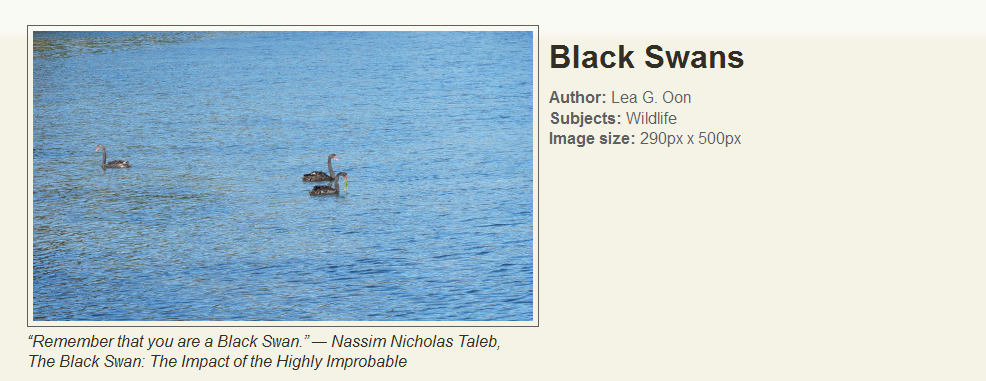
Image Display Example
<gsf:option name="TOC" value="true"/>

<gsf:template name="documentHeading"/>

<gsf:template name="documentContent">
  <gsf:switch>
  <gsf:metadata name="FileFormat"/>
	<gsf:when test="equals" test-value="jpeg">
		<xsl:call-template name="imageDisplay"/>
	</gsf:when>
	<gsf:otherwise>
		<h1><gsf:metadata name="Source"/></h1>
		<xsl:call-template name="wrappedSectionText"/>
	</gsf:otherwise>
  </gsf:switch>
</gsf:template>

<xsl:template name="additionalHeaderContent">
  <xsl:variable name="httpCollection">
    <xsl:value-of select="/page/pageResponse/collection/metadataList/metadata[@name='httpPath']"/>
  </xsl:variable>

  <link href="{$httpCollection}/style/imageDisplay.css" rel="stylesheet" type="text/css"/>
</xsl:template>

<xsl:template name="imageDisplay">
    <div class="doc-image">
      <gsf:link type="source">
        <gsf:metadata name="screenicon"/>
      </gsf:link>
      <div class="doc-quote">
        <p>
          <i>
            <gsf:metadata name="dc.Description"/>
          </i>
        </p>
      </div>
    </div>
    <div class="doc-info">
      <h1>
        <gsf:metadata name="dc.Title"/>
      </h1>
      <ul>
        <li>
          <b>Author:</b>
          <gsf:metadata name="dc.Creator"/>
        </li>
        <li>
          <b>Subjects:</b>
          <gsf:metadata name="dc.Subject"/>
        </li>
        <li><b>Image size:</b><gsf:metadata name="ImageHeight"/>px x <gsf:metadata name="ImageWidth"/>px</li>
      </ul>
    </div>
    <br class="clear"/>
</xsl:template>
This code provides a nice way to display images with their metadata on the document display page. Provides an example of gsf:switch and gsf:when statements, as well as linking to a CSS file.
This format statement will display any document with a FileFormat (ex.FileFormat) of "jpeg" as shown in the image. All other documents are displayed with the dc.Title as a heading and the document text.
If you have images of many different formats (png, jpg, jpeg, gif), you could replace the lines:
<gsf:metadata name="FileFormat"/>
<gsf:when test="exists" test-value="jpeg">
With the following:
<gsf:metadata name="Image"/>
<gsf:when test="exists">
For the image display to appear as shown in the image, you must include the following CSS in a file called imageDisplay.css in your collection's style folder:
div.separating-line {
    border-bottom: 1px solid #d8d8d8;
    padding: 5px;
    clear: both;
}

div.doc-image {
    float: left;
    margin-left: 10px;
    padding-right: 10px;
}

div.doc-image img {
        border: 1px solid #5d5f60;
        padding: 5px;

}

div.doc-quote p {
width: 500px;
}

div.doc-info h4 {
    margin-top: 15px;
    margin-bottom: 5px;
}

div.doc-info ul {
    list-style-type: none;
    color: #5d5f60;
    margin-top: 0px;

}

div.doc-info ul li {
line-height: 20px;

}